
Buy Microsoft Publisher 2021 for one compatible Windows PC. Publisher 2021 is designed for creating professional-looking brochures, newsletters, flyers, labels, greeting cards and other print or digital publications.
Your licence information, download guidance and step-by-step installation instructions are delivered by email after payment, with responsive UK-based support available if required.
Microsoft Publisher 2021 is a desktop publishing application for Windows. It is designed to help users create structured page layouts for printed and digital publications without needing specialist graphic-design software.
Publisher is particularly useful for brochures, newsletters, flyers, labels, invitations, business cards, posters and other publications where precise placement of text and images is important.
For installation and activation on one compatible Windows PC.
Full Microsoft Publisher 2021 desktop application for Windows.
Installed as part of Microsoft Office 2021 Professional Plus.
No monthly or annual Microsoft 365 subscription is required.
Licence information and installation guidance are supplied electronically.
Installation and activation support is included when required.
Important: Publisher 2021 is installed through the Microsoft Office 2021 Professional Plus installation package. It is not supplied as a separate Publisher-only installer.
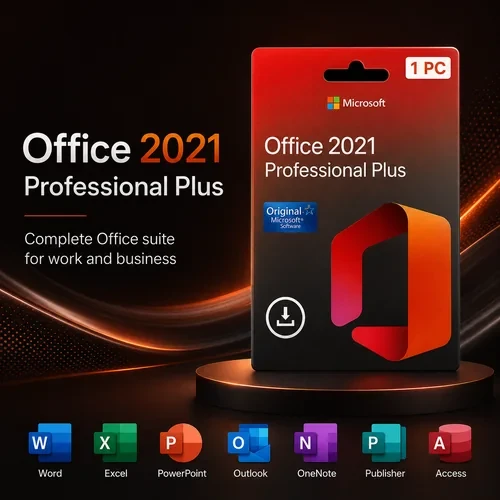
When you install this product, Microsoft Publisher 2021 is installed as part of Microsoft Office 2021 Professional Plus .
This means your installation also includes the additional desktop applications supplied with the Office 2021 Professional Plus suite.
Create structured page layouts, brochures, newsletters and printed publications.
Create and edit professional documents, letters and reports.
Create spreadsheets, calculations, charts and structured data.
Create presentations, slides and visual content.
Position text, images and other objects precisely within your publication.
Start brochures, newsletters, cards and other projects using ready-made layouts.
Apply consistent layout elements across multiple pages in a publication.
Personalise suitable publications using recipient data from supported sources.
Add, resize and position photographs, logos and other graphics within page layouts.
Export suitable publications to PDF for printing or digital distribution.
Publisher 2021 gives you greater control over page layout than a standard word processor, making it useful for projects where text and images need to be positioned precisely.
Use text boxes, shapes, images, borders, colour schemes and page-layout tools to build publications for business, education, community groups or personal use.
Publisher can be used to create a wide range of printed or digitally distributed material, including:
Want to explore Publisher in more detail? See our Publisher 2021 Features Guide .
Publisher and Word can both create documents, but they are designed for different tasks. Publisher provides more control over page layout, while Word is primarily designed for text-heavy documents.
| Feature | Publisher 2021 | Microsoft Word |
|---|---|---|
| Primary use | Page layout and desktop publishing | Word processing and text documents |
| Brochures & flyers | Designed for this type of layout | Possible, but less layout-focused |
| Precise object placement | Strong layout control | More document-flow based |
| Long text documents | Possible | Better suited |
| PDF export | Yes | Yes |
Please confirm that your PC meets the applicable requirements before purchasing. Publisher 2021 is a Windows application and should not be purchased for macOS, Chromebook, iPad or Android devices.
Before installing Publisher 2021, check whether another version of Microsoft Office or Microsoft 365 is already installed on your PC.
New Windows computers can include Microsoft 365 trial software or other Office components. Conflicting Office installations can sometimes cause installation or activation problems.
If another Office installation is present, follow the supplied EcoKeys guidance before installing Office 2021 Professional Plus.
Publisher 2021 is installed through Microsoft Office 2021 Professional Plus. Your EcoKeys order includes the information required to download, install and activate the product.
Need installation help? Follow our Microsoft Office 2021 Professional Plus Installation Guide .
Microsoft has announced that Publisher will be retired in October 2026. The perpetual version of Publisher will reach end of support at the same time as Office LTSC 2021.
Publisher 2021 may continue to function after support ends, but Microsoft will no longer provide security updates, bug fixes or technical support for the product.
Microsoft Publisher 2021 is intended for a compatible Windows PC.
The supplied licence is for one compatible computer.
No recurring Microsoft 365 subscription is required.
Future major Office releases are not included.
Microsoft support for Publisher ends on 13 October 2026.
Complete installation and activation promptly after purchase.
No. This is a one-time-purchase Office 2021 licence and does not require an ongoing Microsoft 365 subscription.
Publisher 2021 is installed through Microsoft Office 2021 Professional Plus. The installation also includes the other applications supplied with that Office edition.
Office 2021 Professional Plus includes Publisher together with applications such as Word, Excel, PowerPoint and Outlook, plus the other applications supplied with that edition.
Yes. Publisher 2021 can be installed on a compatible Windows 11 PC that meets the relevant system requirements.
Publisher 2021 can be used with compatible Office 2021 installations on supported Windows environments. Windows 10 itself reached end of support in October 2025, so Windows 11 is preferable for a currently supported operating system.
No. Microsoft Publisher 2021 is a Windows application and should not be purchased for macOS, Chromebook, iPad or Android devices.
Yes. Suitable Publisher publications can be exported or saved in PDF format for printing or digital distribution.
Publisher can be used for brochures, flyers, newsletters, labels, invitations, cards, posters and other page-layout projects.
Publisher 2021 is installed through the Office 2021 Professional Plus installation package. Download and installation guidance is supplied with your EcoKeys order.
Yes. Microsoft has announced that Publisher will be retired in October 2026, with support for the perpetual version ending on 13 October 2026.
Responsive UK-based support is included. If you experience an installation or activation problem, EcoKeys support can help identify the issue and guide you through the appropriate troubleshooting steps.
Report an eligible activation issue within 28 days of purchase. If the EcoKeys support team cannot resolve the problem, a replacement or refund will be provided in accordance with the Activation Guarantee.
Purchase Microsoft Publisher 2021 for one compatible Windows PC. Your licence information, download guidance and installation instructions will be delivered electronically after payment confirmation.
Need Help? Visit Our Help Centre

Fast Digital Delivery – Product keys, download guidance and order information are normally sent by email within 5 minutes after payment confirmation.

12-Month Support Warranty – Installation, activation, reinstallation and eligible reactivation support is included for 12 months from purchase.

28-Day Activation Guarantee – Activation protection for eligible issues reported within 28 days of purchase.

Clear Payment Instructions – Payment options and instructions are provided separately after checkout.