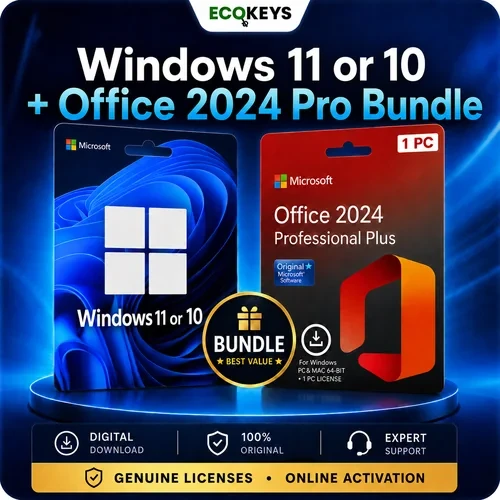



Buy a Windows and Office bundle in the UK for one compatible PC. Choose either Windows 11 Pro or Windows 10 Pro and receive it together with Microsoft Office 2024 Professional Plus in one digital software package.
Choose the Windows 11 Pro + Office 2024 Professional Plus bundle for a current Windows 11 setup, or select the Windows 10 Pro + Office 2024 Professional Plus bundle when Windows 10 Pro is specifically required. Both options combine a Windows Pro licence with the Office 2024 Professional Plus desktop applications for home, study, business or a new PC build.
Digital delivery: After payment confirmation, your Windows Pro and Office 2024 Professional Plus licence information, product keys, official Microsoft download guidance and step-by-step activation instructions are normally sent to the email address used at checkout within 5 minutes.
Receive one Windows 11 Pro or Windows 10 Pro licence and one Office 2024 Professional Plus licence.
Both licences are intended for activation on one compatible Windows computer.
A one-time purchase with no monthly or annual Microsoft 365 subscription charges.
Activate Windows and Office online using the supplied licence information and installation method.
No physical disc, USB drive or product box is supplied. Your licence information and instructions are normally emailed within 5 minutes after payment confirmation.
Installation and activation support is available if assistance is required.
Office 2024 Professional Plus includes the desktop applications needed for documents, spreadsheets, presentations, email, databases and note-taking.
View all Microsoft Office 2024 licence options if you want to compare Professional Plus, Standard, multi-user and other Office 2024 choices.

Create and edit letters, reports and professional documents.

Build spreadsheets, use formulas and analyse information.

Create presentations, slideshows and professional layouts.

Manage email, contacts, calendars and appointments.

Create and manage desktop databases and structured records.
Organise notes, ideas, lists and project information.
Installation time varies according to the computer, selected Windows installation method and internet connection speed.
No. This Windows and Office bundle provides one-time-purchase licences for the selected Windows Pro edition and Office 2024 Professional Plus. There are no monthly or annual Microsoft 365 subscription charges.
Yes. Select the required Windows edition from the product options before adding the bundle to your basket.
No. The Windows and Office licences included with this bundle are each supplied for activation on one compatible Windows PC.
A compatible and correctly activated Windows Home installation can usually be upgraded by entering the Windows Pro product key through Settings > System > Activation. Files and installed applications should remain in place during an edition upgrade.
Yes. The Windows licence can be used for a compatible clean installation or an eligible Home-to-Pro edition upgrade. Back up important files before performing a clean installation.
No. Office 2024 Professional Plus is installed using the Microsoft installation files and the step-by-step method supplied with the order rather than the consumer setup.office.com redemption process.
Office 2024 Professional Plus includes Word, Excel, PowerPoint, Outlook, Access and OneNote 2024. Publisher, Project and Visio are not included.
Reinstallation on the same computer may be possible using the same licence information, provided the licence remains valid for that device and the hardware has not been substantially changed.
No. Office 2024 Professional Plus in this bundle is for compatible Windows computers. It is not designed for macOS, ChromeOS, iOS, Android or Linux.
No. This is a digital product. Your licence information, official Microsoft download guidance and installation instructions are normally sent by email within 5 minutes after payment confirmation.
Your Windows and Office product keys, official Microsoft download guidance and installation instructions are normally sent by email within 5 minutes after payment confirmation.
Follow the supplied instructions carefully and contact EcoKeys support with your order number and the exact error message. Eligible activation issues reported within 28 days of purchase are covered by our 28-Day Activation Guarantee.
Report an eligible activation issue within 28 days of purchase. If the EcoKeys support team cannot resolve the problem, a replacement or refund will be provided in accordance with the Activation Guarantee.
Microsoft, Windows, Word, Excel, PowerPoint, Outlook, OneNote and Access are trademarks of the Microsoft group of companies. EcoKeys is an independent reseller and is not affiliated with Microsoft.
Need Help? Visit Our Help Centre

Fast Digital Delivery – Product keys, download guidance and order information are normally sent by email within 5 minutes after payment confirmation.

12-Month Support Warranty – Installation, activation, reinstallation and eligible reactivation support is included for 12 months from purchase.

28-Day Activation Guarantee – Activation protection for eligible issues reported within 28 days of purchase.

Clear Payment Instructions – Payment options and instructions are provided separately after checkout.