Visio Professional 2024 vs Visio Plan 2: Buy Once or Subscribe?
The short answer: if what you actually want is the full Microsoft Visio desktop application on a Windows PC, without another subscription following you around every month, Visio Professional 2024 is the straightforward option — buy the licence once and keep using that version.
Visio Plan 2 takes a different approach. You pay per user on an ongoing basis, but you get both the Visio desktop application and Visio for the web, along with Microsoft's subscription features and a much stronger setup for people who genuinely need to work on diagrams together.
So this really comes down to a simpler question: do you want to buy Visio as desktop software, or subscribe to Visio as an ongoing Microsoft service?
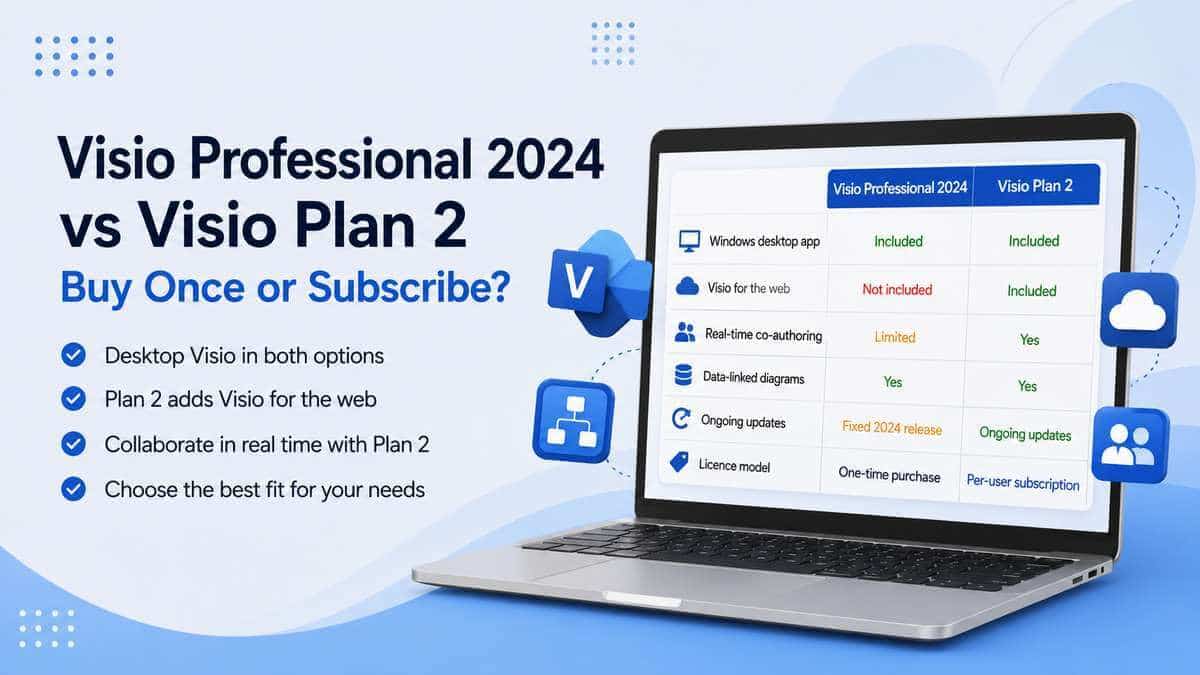
The two side by side
That table is probably the easiest way to understand why this decision is less obvious than Standard versus Professional.
With Standard versus Professional, you're largely comparing capability.
Here, you're comparing two ways of getting a serious version of Visio.
What Visio Professional 2024 actually is
Visio Professional 2024 is Microsoft's current perpetual Professional desktop release.
"Perpetual" sounds more technical than it needs to. You buy that version once, install it on the licensed Windows PC and use it without keeping an active Visio subscription running simply to retain access to the software.
It's the full Professional edition, so you're not giving up the serious diagramming tools just because you've chosen the one-time-purchase route.
That means detailed network diagrams, professional flowcharts, UML and database diagrams, BPMN, engineering and electrical diagrams, data-connected drawings, Azure-related content and the other specialist tools that separate Visio Professional from Standard.
Microsoft also added new content to the 2024 generation, including more Azure stencils, newer network and software-development shapes, updated templates, a refreshed Office-style interface and improved search.
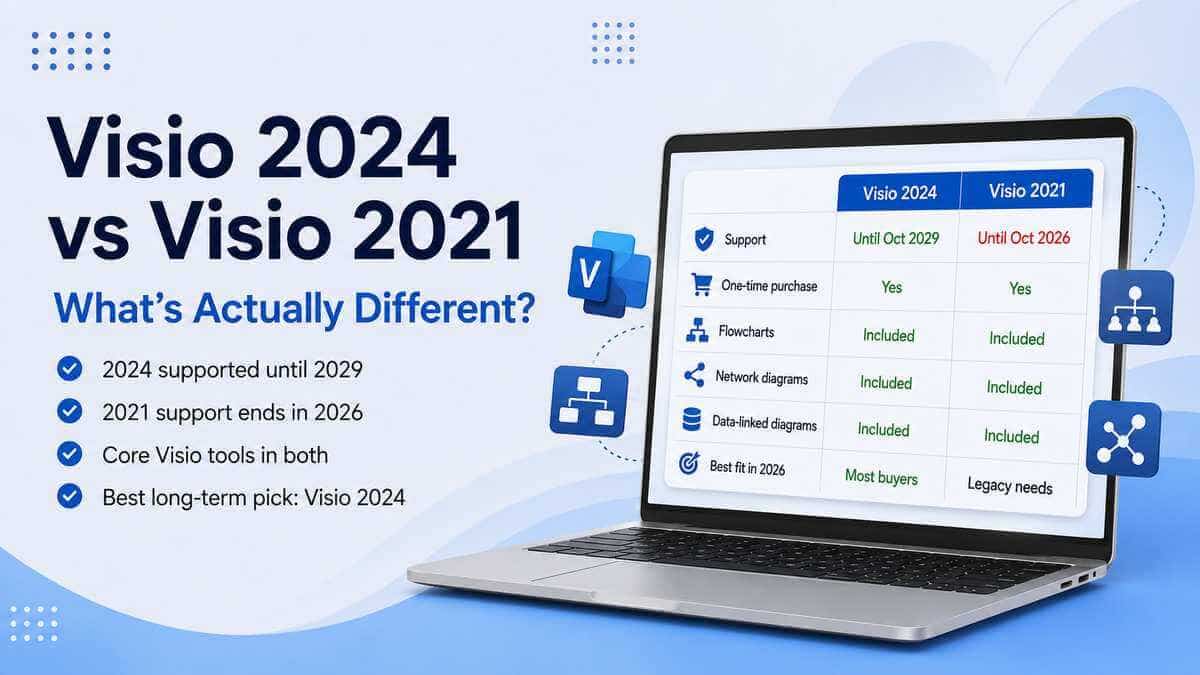
Microsoft's current lifecycle information lists Visio 2024 as supported until 10 October 2029.
For somebody who just wants the proper desktop application and intends to keep it for several years, that's a very simple proposition.
What Visio Plan 2 actually gives you
Visio Plan 2 is Microsoft's subscription version.
You don't buy one fixed copy of Visio 2024 and keep that exact release indefinitely. You're licensing Visio to a user for as long as the subscription remains active.
The important bit is what comes with it.
Plan 2 includes the full Visio desktop application, Visio for the web, local and offline file support, professional diagramming features, data connectivity, specialist technical templates and Microsoft's ongoing subscription updates.
So Plan 2 isn't the cut-down web version. That's closer to what Visio Plan 1 is aimed at.
Plan 2 is Microsoft's serious subscription option.
Does Plan 2 give you a "better" desktop Visio?
Not in the simple way that question sounds.
Visio Professional 2024 already contains a substantial professional desktop feature set. Buying Plan 2 doesn't suddenly turn an ordinary flowchart into a dramatically better flowchart.
If you're using Visio for detailed networks, technical diagrams, UML, BPMN, data-linked diagrams or the other Professional features, Visio Professional 2024 already does serious work.
Plan 2's biggest advantages aren't that the boxes and connectors somehow become more professional.
The important differences are the subscription model, web access, collaboration and ongoing updates.
The simplest way to think about it: Visio Professional 2024 gives you the full Professional desktop application as a one-time purchase. Visio Plan 2 wraps serious Visio desktop functionality inside Microsoft's ongoing cloud and subscription service.
Just want the desktop app? Professional 2024 makes a lot of sense
Imagine the fairly normal Visio user.
You sit at one Windows PC. You create network diagrams, process maps, infrastructure drawings, floor plans or technical documentation.
You save the files locally or in your normal company storage. Maybe you open Visio a few times a week. Maybe a few times a month.
What you don't need is a browser version of Visio available on every machine you touch, and you don't have several people simultaneously editing the same drawing.
In that situation, paying an ongoing subscription can be difficult to justify purely because Plan 2 exists.
Visio Professional 2024 gives you the desktop application you actually wanted, and once you've paid for it you're not measuring its usefulness against another monthly charge.
For this type of user, perpetual licensing is refreshingly simple.
Where Visio Plan 2 starts earning the subscription
The calculation changes when diagrams stop belonging to one person.
If your Visio files are live working documents that several people contribute to, Plan 2 becomes a much more interesting product.
Microsoft supports collaborative work on Visio drawings, including co-authoring where multiple people can work on the same drawing.
There is an important licensing detail here: simultaneous co-authoring in the Windows desktop application requires the people editing to have the appropriate Visio Plan 2 licensing and to be using the desktop app.
If your network architecture, business process or organisational documentation is being actively maintained by several members of a team, collaboration can easily be worth more than the saving from buying an isolated perpetual licence.
Plan 2 includes Visio for the web as well
This is probably Plan 2's most obvious convenience advantage.
With Professional 2024, you're primarily buying the installed Windows application.
Plan 2 gives the licensed user both the desktop application and the web version.
That means you aren't tied to sitting in front of the one machine where Visio is installed every time you need to view or work on a diagram.
The browser version isn't identical to the full Windows desktop application, but having both available makes much more sense for people who move between machines or work in a cloud-first organisation.
Can both work offline?
Yes.
Subscribing to Plan 2 doesn't turn Visio into a browser-only tool. Plan 2 includes the installed desktop application and supports local files and offline working.
Visio Professional 2024 is naturally installed desktop software as well.
So this isn't really an "offline versus online" comparison.
Professional 2024: desktop Visio bought once.
Plan 2: desktop Visio plus web access and the subscription ecosystem.
What about advanced diagrams?
Both options are intended for advanced Visio work.
This is worth stressing because Plan 2 sometimes gets described as if it's the only route to proper technical diagramming.
It isn't.
Visio Professional 2024 is already the Professional edition and supports advanced technical and data-connected diagramming.
So if your requirement is simply "I need Visio for detailed network diagrams", that alone doesn't automatically mean you need Plan 2.
If the requirement becomes "I need detailed network diagrams and several people need to maintain them together through Microsoft's cloud environment", Plan 2 suddenly has a much stronger argument.
Live data isn't Plan 2-only either
Another easy assumption to make.
Connecting diagrams to external data is one of Visio's genuinely useful advanced features, but it isn't something Microsoft restricts solely to the subscription.
Visio Professional 2024 supports linking diagram shapes to external data as well.
That means somebody buying Professional 2024 specifically for data-connected diagrams doesn't need to move to Plan 2 just to get that capability.
Again, Plan 2's case is more about how that work fits into a broader cloud and collaborative environment.
Does Plan 2 keep getting newer features?
This is one of the fundamental differences between perpetual and subscription software.
Visio Professional 2024 is a fixed release.
Microsoft supports it through its lifecycle, but the point of buying Visio 2024 is that you've bought the 2024 generation rather than joining an automatically evolving subscription service.
Plan 2 follows Microsoft's subscription model, so the service can continue evolving while the licence remains active.
Some businesses actively want that.
Others would rather the software they trained everyone on this year still looks and behaves broadly the same next year.
Neither preference is wrong. They're simply different ways of buying software.
The cost question changes over time
This is the bit feature tables don't show very well.
A perpetual licence has a one-off purchase cost and then, assuming it continues meeting your needs, no recurring Visio subscription fee.
Plan 2 keeps costing money for every licensed user for as long as you want access to the service.
Over one month, that difference may not feel especially significant.
Over several years and several employees, it's a completely different calculation.
On the other hand, subscriptions can be easier to scale. Employees leave, new people join and roles change, and user-based licensing can be moved around more naturally than treating each copy of software as a separate perpetual purchase.
For one person using Visio for years, perpetual licensing can be very attractive.
For an organisation constantly managing users and relying on collaborative services, Plan 2 may justify the ongoing cost.
What happens if you cancel Plan 2?
The answer is built into the word "subscription".
Your right to use the software and services supplied through Plan 2 depends on the subscription remaining appropriately licensed.
If Plan 2 is cancelled or the user loses the relevant licence, you shouldn't expect them to retain the same licensed access to those subscription desktop and web services indefinitely.
Visio Professional 2024 works differently.
It's a perpetual licence for that version rather than continuing access rented through a subscription.
That doesn't mean Professional 2024 is supported forever — it isn't. Microsoft's current support window runs until October 2029.
But you're not required to keep renewing a Visio Plan 2 subscription simply to retain the perpetual licence you've already bought.
Doesn't Microsoft 365 already include Visio?
Sometimes a version of it, yes.
A lightweight Visio web experience is included with a number of Microsoft 365 commercial subscriptions.
That's useful for simpler diagramming, but it is not the same thing as having Visio Plan 2.
Plan 2 sits at the top of Microsoft's Visio subscription range for users who need comprehensive diagramming and the desktop application.
So don't buy Plan 2 because somebody told you "Visio isn't included with Microsoft 365" without checking your account first.
But equally, don't assume the basic Visio experience included with your Microsoft 365 plan means you've already got the full Professional desktop product.
What about Visio Plan 1?
Plan 1 sits between the lightweight Visio experience included with some Microsoft 365 subscriptions and Plan 2.
The key difference for this comparison is simple:
Visio Plan 1 does not include the installed Visio desktop application.
It's centred on Visio for the web.
Plan 2 includes both web and desktop Visio.
So if you're specifically looking for the traditional Windows Visio application, the relevant subscription comparison is Plan 2 rather than Plan 1.
Which is better for someone working alone?
For most people working individually on one Windows PC, I'd start with Visio Professional 2024.
Not because Plan 2 is worse.
Because a lot of what you're paying the subscription for may simply be irrelevant to that workflow.
If you create the diagrams yourself, don't need web access, don't need subscription feature updates and aren't collaboratively editing them with other users, Professional 2024 gives you the serious desktop application without the recurring charge.
If you're constantly moving between devices or specifically want the web version as part of your normal work, Plan 2 becomes easier to justify even for one person.
Which is better for a team?
Plan 2 has a much stronger case.
The combination of desktop Visio, Visio for the web and Microsoft's collaboration capabilities is much more naturally suited to diagrams being actively maintained by several people.
This matters particularly for things such as:
- live network documentation;
- infrastructure diagrams;
- process maps;
- organisation diagrams;
- architectural documentation;
- technical diagrams that multiple teams rely on.
The more a Visio file behaves like a shared business document rather than one person's drawing, the more useful Plan 2 becomes.
What if I'm buying for a small business?
Don't decide based on the word "business".
A one-person consultancy is a business. So is a company with 200 people and several IT teams maintaining shared infrastructure diagrams.
They don't need the same Visio licence.
If one person creates and controls the diagrams, Professional 2024 may be absolutely fine.
If several employees need to edit, share and maintain them through Microsoft 365, Plan 2 starts making much more sense.
How the diagrams are actually used matters far more than the size of the company.
So which should you actually choose?
Visio Professional 2024 makes more sense if:
- You want the full Visio Professional desktop application.
- You'd rather pay once.
- You mainly work on one Windows PC.
- You don't need Visio for the web.
- You work mostly independently.
- You don't need several people co-authoring desktop Visio files.
- You prefer a fixed software release rather than continuous subscription changes.
- You expect to use the same Visio version for several years.
- You already know the Professional 2024 feature set covers your work.
Visio Plan 2 makes more sense if:
- You want both desktop Visio and Visio for the web.
- Several people work collaboratively on diagrams.
- Your organisation already works heavily in Microsoft 365.
- You move between devices.
- You prefer user-based subscription licensing.
- You want Microsoft's current subscription version rather than a fixed 2024 release.
- Desktop co-authoring matters.
- Your diagrams are shared operational documents rather than one person's files.
Our take
For somebody whose requirement is simply "I need the full version of Visio on my PC", Visio Professional 2024 is the cleaner answer.
It already gives you the serious Professional feature set, including the advanced technical and data-driven diagramming that people sometimes mistakenly assume requires Plan 2.
You buy it once, Microsoft currently supports the 2024 generation until October 2029, and there's no reason to keep paying for a subscription simply because Visio happens to have one available.
Plan 2 earns its money when the requirement changes.
If you need desktop Visio plus web access, user-based licensing and genuine collaborative working, you're no longer paying monthly just to get Visio. You're paying for the service around it.
Don't buy Plan 2 because you think Professional 2024 isn't a "full" version of Visio.
And don't buy Professional 2024 purely because it's cheaper over time if your team actually needs the cloud and collaborative features Plan 2 exists to provide.
Start with how the diagrams are going to be used. The right licence normally becomes fairly obvious after that.
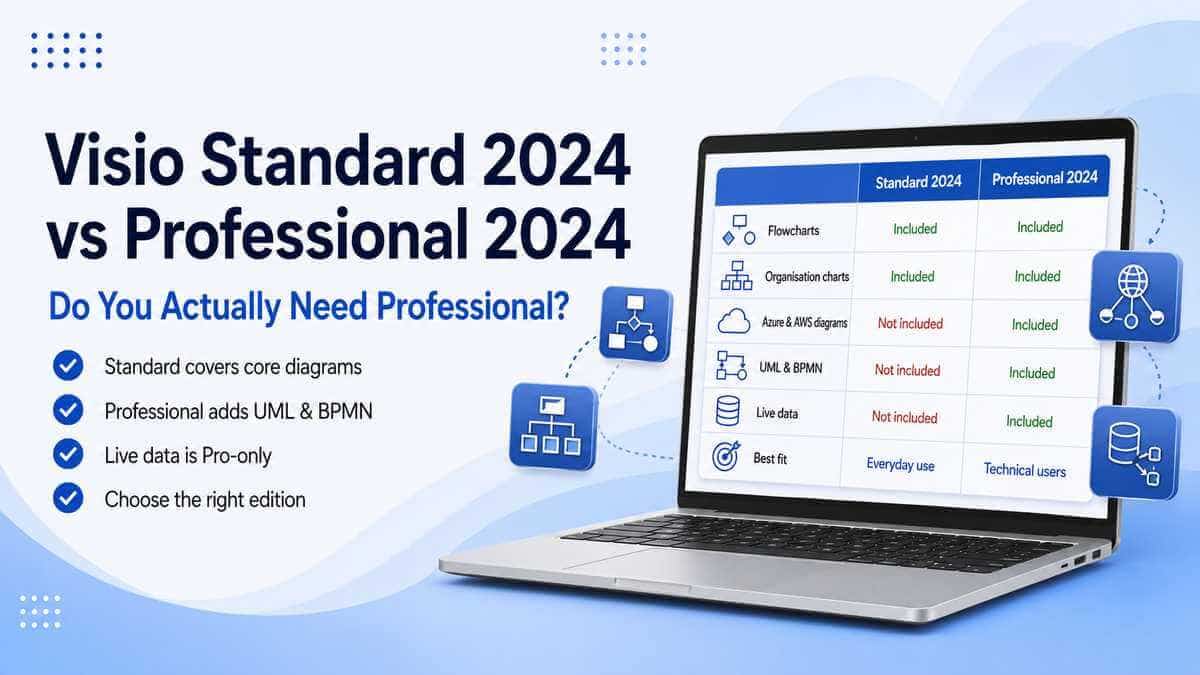
Want to compare the perpetual Visio editions first? Read our Visio Standard 2024 vs Professional 2024 guide.
You can also browse our Microsoft Project & Visio licences.
Microsoft Visio Professional 2024
Prefer the one-time-purchase desktop route? View the full feature list, compatibility details and licence information.
View Microsoft Visio Professional 2024Frequently asked questions
Is Visio Professional 2024 the same as Visio Plan 2?
No. Both provide serious desktop Visio capabilities, but Professional 2024 is a one-time-purchase perpetual release. Plan 2 is an ongoing per-user subscription that includes the Visio desktop application and Visio for the web.
Does Visio Plan 2 include the desktop app?
Yes. Visio Plan 2 includes both the installed Visio desktop application and Visio for the web.
Is Visio Professional 2024 a subscription?
No. It's Microsoft's one-time-purchase Professional desktop edition.
Which one has more advanced diagramming tools?
Both are designed for advanced professional diagramming. Visio Professional 2024 already supports specialist technical diagrams and data-connected drawings. Plan 2's biggest advantages are web access, collaboration, user-based licensing and ongoing subscription updates rather than simply making ordinary desktop diagrams "better".
Can Visio Professional 2024 link diagrams to data?
Yes. Visio Professional 2024 supports linking external data to diagram shapes.
Can I use Visio Plan 2 offline?
Yes. Plan 2 includes the installed desktop application as well as Visio for the web, so it isn't a browser-only product.
Does Visio Plan 1 include the desktop app?
No. Plan 1 is centred on Visio for the web. Plan 2 is the Visio subscription that includes the desktop application.
Does Microsoft 365 include Visio Plan 2?
No. Some commercial Microsoft 365 subscriptions include a lighter Visio web experience, but Plan 2 is a separate premium Visio subscription.
Can several people edit the same Visio file?
Yes, depending on the app and licensing being used. Microsoft supports collaborative editing, while simultaneous Windows desktop co-authoring requires appropriate Visio Plan 2 licensing for the people editing.
How long is Visio Professional 2024 supported?
Microsoft's current lifecycle information lists Visio 2024 as supported until 10 October 2029.
Which is better for one person?
If that person mainly wants the full Windows desktop application and doesn't need web access or collaborative subscription features, Visio Professional 2024 is normally the simpler option.
Which is better for a team?
Plan 2 usually has the stronger case where multiple users need Visio, web access and collaborative diagram editing.