Visio Standard 2024 vs Professional 2024: Do You Actually Need Professional?
The short answer: Visio Standard 2024 is enough for plenty of people. If what you actually need is flowcharts, organisation charts, mind maps, office layouts or fairly straightforward network diagrams, there's no reason to pay for Professional purely because the word sounds more impressive on the box.
Professional starts earning its price the moment your diagrams get properly technical — cloud architecture, software and database modelling, engineering diagrams, formal standards such as BPMN and UML, or anything connected to live business data. So this isn't really a "which is better?" question. It's a "which of these do I actually do?" question.
What they share
Both Visio Standard 2024 and Visio Professional 2024 are perpetual, one-time-purchase desktop applications for Windows — no subscription attached to either.
Both give you the core Visio experience: templates, shapes, connectors, flowcharts, organisation charts, mind maps, basic network diagrams, process diagrams, and the general toolkit for laying information out visually.
Professional includes all of that too. It's not a completely different product wearing the same name. The difference only really shows up once you step past everyday business diagramming into more specialist territory.
What actually separates them
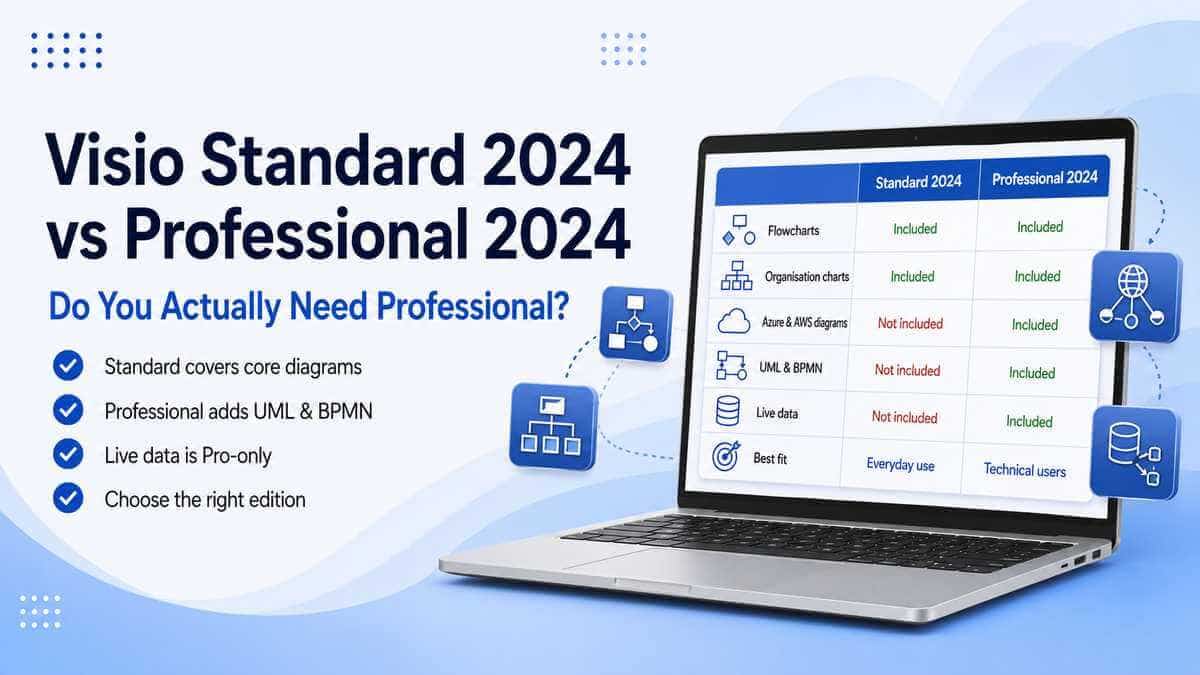
Standard covers the everyday diagramming most people recognise Visio for: flowcharts, organisation charts, mind maps, basic network diagrams and office or home layouts.
Professional includes all of that, then adds the specialist capabilities: cloud architecture, software and database modelling, recognised diagramming standards, engineering content and data-connected diagrams.
Standard is more capable than the name suggests
"Standard" has a way of sounding like the cut-down option, the one you settle for. That's not really fair to it.
Microsoft's own feature list for Standard includes cross-functional flowcharts, organisation charts, mind maps and basic network diagrams, alongside templates and customisable shapes for processes, workflows, and home or office plans.
If your job is mapping a business process, drawing an office layout, building an org chart, or documenting a reasonably straightforward network, Standard is a proper desktop Visio application built for exactly that — not a stripped-down viewer waiting to disappoint you.
Where Professional genuinely pulls ahead
Professional includes everything in Standard, then opens up considerably further.
Microsoft adds templates, shapes and starter diagrams specifically aimed at technical and professional work: Azure and AWS cloud architecture diagrams, more detailed network content, and software/database diagramming including Entity Relationship Diagrams (ERD) and UML class diagrams.
None of that means much to someone drawing a company org chart — and that's fine, because it isn't why they're buying Visio.
For an IT department, developer, systems architect or database professional, though, this specialist content can be the entire reason Visio is on the shopping list in the first place.
Cloud and network diagrams: the clearest dividing line
Standard handles basic network diagrams comfortably. Documenting an ordinary office network with computers, printers, switches and other everyday equipment sits well within what it's designed to do.
Professional goes considerably further by adding dedicated Azure and Amazon Web Services (AWS) cloud architecture diagrams and more extensive networking content.
Visio Professional 2024 also includes more than ten new Azure stencils as well as newer network and software-development content such as Kubernetes shapes.
If you're documenting cloud infrastructure, hybrid networks or container environments, Professional is where I'd start looking, not Standard.
Worth checking before you buy: if a particular Azure, AWS, database or technical stencil is the reason you're buying Visio, confirm which edition contains it first. Buying Standard and discovering afterwards that the exact specialist content you need belongs to Professional is the sort of false economy that's easy to avoid.
Software and database diagrams
Another fairly clean dividing line.
Professional includes specialist tooling Standard simply isn't designed around: UML diagrams and UML class diagrams, Entity Relationship Diagrams, software architecture content and database structure diagrams.
If none of those terms mean much to you, there's a decent chance you don't need them.
If they're part of your actual working week, Professional is the obvious call.
That's a far more useful way to decide than asking whether your job title has "professional" anywhere in it. A managing director who occasionally needs an organisation chart can be entirely happy with Standard; a one-person developer working from home might genuinely need Professional.
What you're actually drawing matters more than the size of the company you work for.
BPMN and formal diagramming standards
Professional also supports a broader range of recognised modelling standards. Microsoft specifically lists BPMN 2.0, IEEE and UML 2.5 among Professional's capabilities.
BPMN — Business Process Model and Notation — matters particularly for organisations formally documenting business processes rather than sketching an informal flowchart for internal reference.
There's a genuine difference there: you can draw boxes, connectors and ordinary process flows perfectly well in Standard, but if a diagram needs to conform to a recognised modelling standard because it's feeding into a formal business, technical or compliance process, that's where Professional becomes relevant rather than optional.
Engineering, electrical and P&ID diagrams
This one's genuinely clear-cut.
Professional includes dedicated templates for electrical diagrams, engineering diagrams and piping and instrumentation diagrams (P&ID).
If that's the reason you're buying Visio, Professional is the sensible choice. Standard isn't intended to replace that specialist functionality.
Equally, if you're creating ordinary office diagrams, paying for capabilities you'll never touch doesn't gain you anything at all.
Live data: the underrated big difference
This is the Professional feature that gets talked about less than the stencil libraries, but it can be one of the most significant differences.
Visio Professional 2024 can link diagrams to live data, allowing a diagram to reflect underlying business information rather than remaining a completely static drawing.
Professional also includes data graphics, allowing the information behind shapes to be represented visually using things such as icons, colours, text callouts and data bars. Linked information can also be refreshed automatically.
Think of an infrastructure diagram or organisation chart where the information behind it changes regularly.
With a static drawing, somebody has to remember to go back and manually update it every time something changes — and inevitably, at some point, nobody does and the diagram quietly goes stale.
A data-connected diagram can make Visio part of an actual reporting or operational workflow rather than a picture somebody made once and forgot about six months later.
If data-connected diagrams are specifically why you're buying Visio, Professional is the edition to look at.
Does Professional make ordinary flowcharts "better"?
Not really, and it's worth being honest about that rather than overselling Professional across the board.
You're not buying a superior flowchart engine. Standard already contains the templates, shapes and connector tools needed to build professional-looking flowcharts and everyday business diagrams.
If your entire workload is flowcharts, org charts, mind maps and ordinary office processes, Professional may hand you a pile of functionality you simply never touch.
The extra capability only earns its keep when one of Professional's specific features is something you'll actually use.
What's new in Visio 2024, and does it apply to both editions?
Yes. Both editions receive Microsoft's general Visio 2024 improvements.
That includes the refreshed interface, the newer Office 2024 theme, an improved search experience in the title bar, and additional shapes, stencils and templates.
Microsoft's Visio 2024 feature guide specifically says that, unless noted otherwise, its new Visio 2024 features apply to both Standard and Professional.
Professional then extends the content further. Microsoft says it includes everything added to Standard plus more than ten new Azure stencils and additional network and software-development content including Kubernetes shapes and Yourdon-Coad notation.
So choosing Standard doesn't mean missing out on the normal Visio 2024 refresh. Professional simply takes the diagram library further into specialist territory.
Standard or Professional for a small business?
Company size isn't a particularly reliable way to decide this.
A small business only needing organisation charts, workflows and simple diagrams can be perfectly well served by Standard.
Another small company might have an IT engineer documenting Azure infrastructure, or systems built around databases and formal business processes. That business could genuinely need Professional.
Equally, a large organisation doesn't automatically need Professional installed on every machine in the building.
The question that actually gets you the right answer is simpler:
What diagrams does this particular person actually create?
Already on Standard — worth upgrading?
Only if you've genuinely hit a limitation that Professional specifically solves.
If Standard already covers everything you do, switching purely because Professional's feature list is longer won't make your existing diagrams any better.
I'd consider moving to Professional if you've started needing:
- Azure or AWS architecture diagrams;
- detailed software or database modelling;
- BPMN or UML;
- engineering or electrical diagrams;
- P&ID diagrams;
- live data connectivity;
- data graphics or automatic data refresh.
If none of those are actually part of your work, there's very little practical upside in changing.
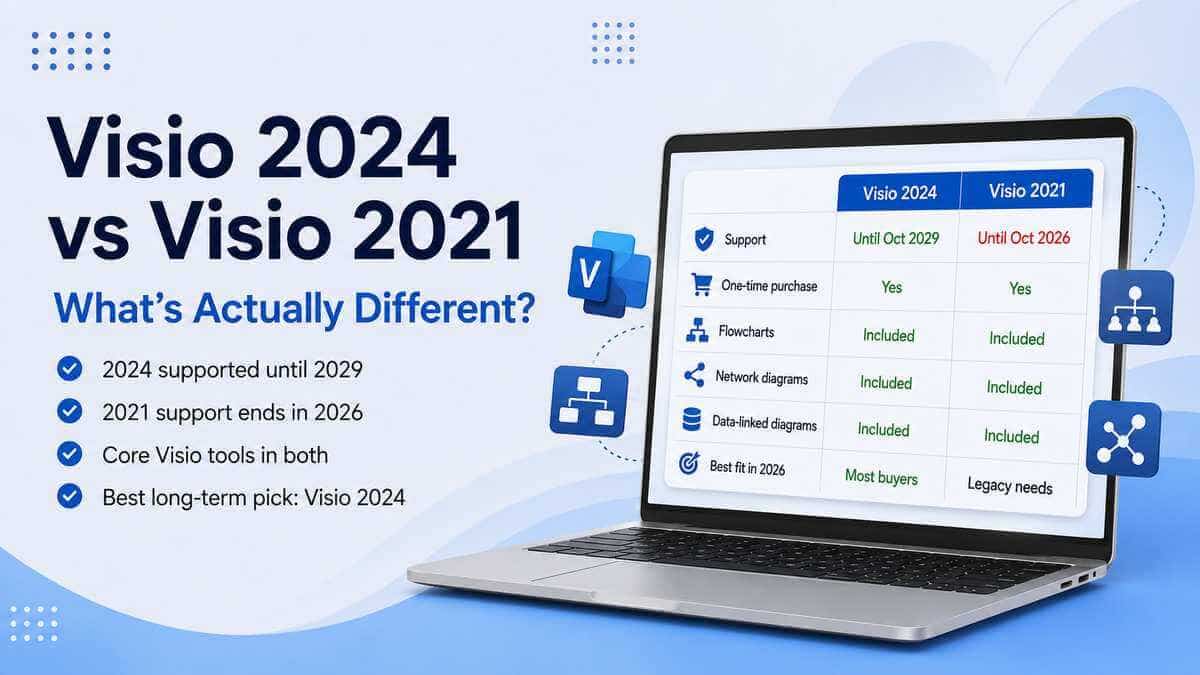
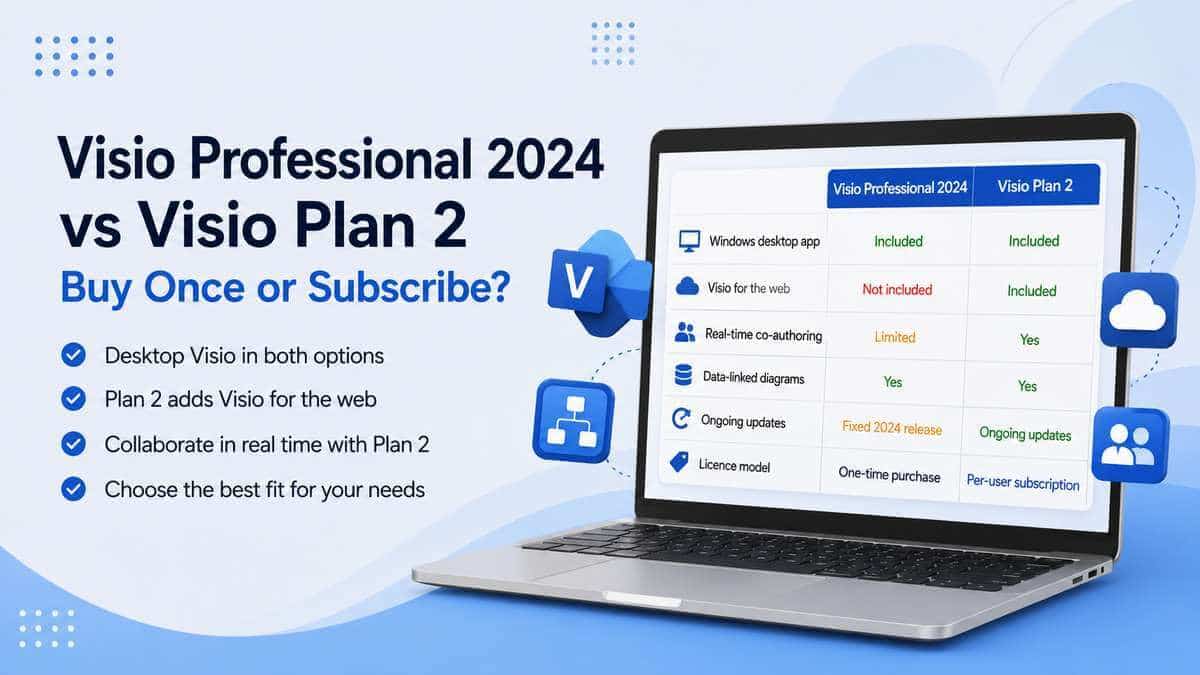
Is Professional the same thing as Visio Plan 2?
No — that's genuinely a separate comparison.
Visio Professional 2024 is Microsoft's one-time-purchase desktop product.
Visio Plan 2 is subscription-based, combining the Visio desktop application with Microsoft's web and cloud-connected Visio services and ongoing subscription features while the plan remains active.
It's worth keeping these as two separate decisions rather than blending them:
Standard vs Professional: mainly a functionality decision.
Professional 2024 vs Plan 2: largely a perpetual desktop licence versus subscription decision.
So which should you actually buy?
Visio Standard 2024 makes sense if:
- You mainly create flowcharts.
- You build organisation charts.
- You use mind maps.
- You create ordinary business processes and workflows.
- You need office or home layouts.
- Your network diagrams are fairly straightforward.
- You don't need specialist standards or live data connectivity.
Visio Professional 2024 is the stronger choice if:
- You work with Azure or AWS architecture.
- You need detailed network or infrastructure diagrams.
- You require UML or database diagrams.
- You use BPMN or other formal modelling standards.
- You create engineering, electrical or P&ID diagrams.
- You want diagrams connected to live business data.
- You use data graphics or automatic data refresh.
- You already know one of Professional's specialist templates is part of your workload.
Our take
For ordinary business diagramming, Visio Standard 2024 is more capable than its name sometimes suggests, and there's no good reason to pay for Professional purely for the label if flowcharts, organisation charts, mind maps and office layouts are the whole job.
Professional earns its cost once the work itself turns specialist — cloud architecture, software and database modelling, engineering diagrams, formal standards and live data connectivity.
For the people who genuinely need them, these aren't decorative extras. They're the entire point of buying Professional in the first place.
The best way to decide isn't to compare feature-list length. Look at what you actually draw.
If Standard covers it, Standard is enough. If one of your regular jobs sits inside Professional's specialist toolset, buy Professional from the start rather than discovering the gap after you've already installed the wrong edition.
Want to compare the wider diagramming and project-management range? Browse our Microsoft Project & Visio licences.
Microsoft Visio Professional 2024
Professional the right edition for you? View the full product details, compatibility information and licence terms.
View Microsoft Visio Professional 2024Frequently asked questions
What's the main difference between Visio Standard 2024 and Professional 2024?
Professional includes everything in Standard, plus specialist diagramming capabilities including Azure and AWS cloud architecture, software and database diagrams, engineering diagrams, formal standards such as BPMN and UML, and live data connectivity.
Is Visio Standard 2024 enough for flowcharts?
Yes. Standard includes flowcharts, cross-functional flowcharts and the normal templates, shapes and connector tools required for everyday business diagramming.
Do I need Professional for organisation charts?
Not necessarily. Standard includes organisation chart functionality. Professional becomes relevant if your work also depends on its specialist technical or data-connected features.
Does Standard include network diagrams?
Yes. Standard includes basic network diagram templates and tools. Professional adds more extensive networking content and dedicated cloud architecture diagrams.
Does Professional include Azure diagrams?
Yes. Microsoft specifically lists Azure and AWS cloud architecture diagrams for Professional. Visio Professional 2024 also includes more than ten new Azure stencils.
Which version supports UML?
Visio Professional 2024 is the appropriate perpetual edition for Microsoft's advanced software and database diagramming, including UML class diagrams.
Which version supports BPMN 2.0?
Visio Professional 2024 includes diagramming support for industry standards including BPMN 2.0.
Can Standard link diagrams to live data?
No. Microsoft lists live data connectivity, data graphics and automatic data refresh as Professional capabilities.
Are both versions one-time purchases?
Yes. Microsoft sells both Visio Standard 2024 and Visio Professional 2024 as one-time-purchase desktop products licensed for one PC. Visio Plan 1 and Visio Plan 2 use subscription licensing instead.
Is Professional automatically the better choice for a business?
No. The correct edition depends on the work being done. A business user creating ordinary flowcharts may only need Standard, while an individual working with Azure architecture, engineering diagrams or data-connected diagrams may genuinely need Professional regardless of company size.